
POP717 Register - How to Create Your POP717 Account

Register on POP717 in 1 minute with your mobile number. This page explains every field on the POP717 register screenshot, the #register-info section, verification code, password rules and new-member bonus.
POP717 Register Screenshot - Full Explanation
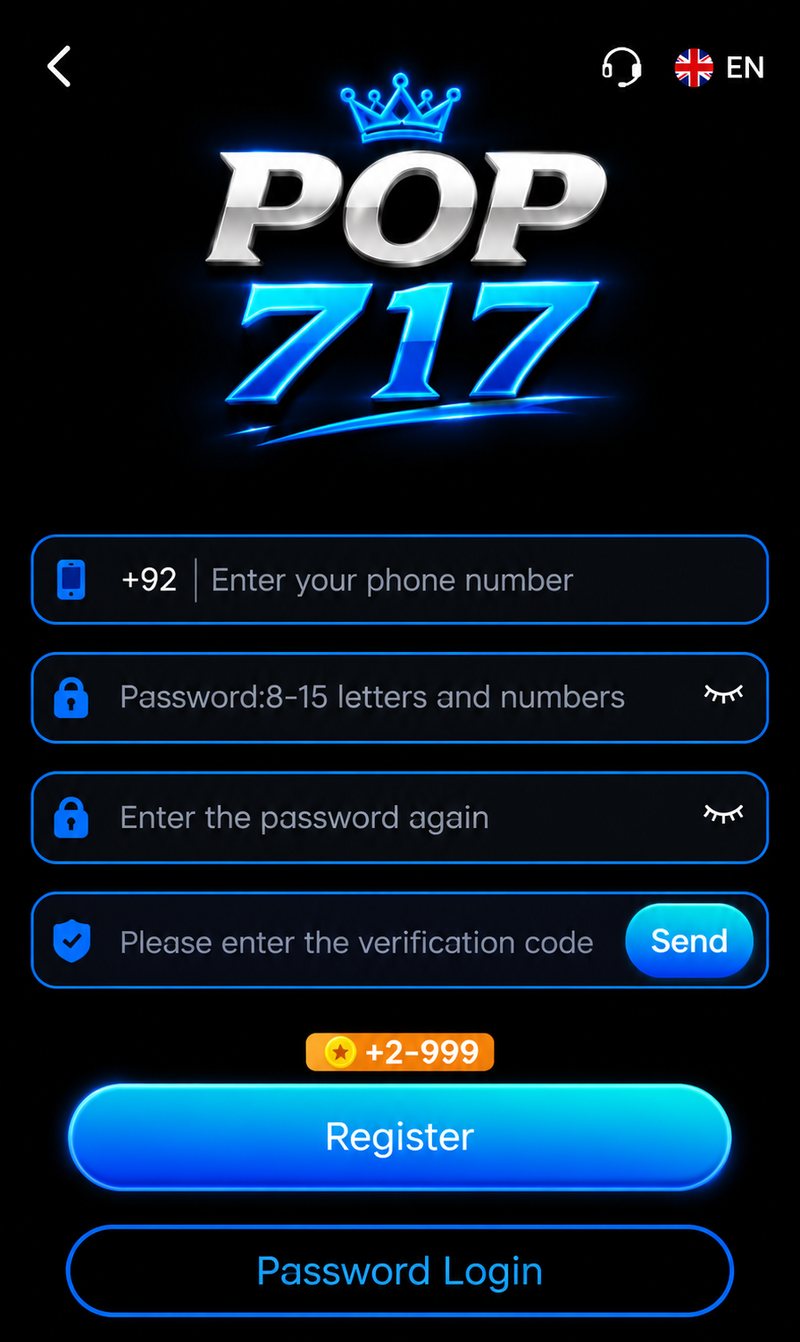
Explanation of Every Field
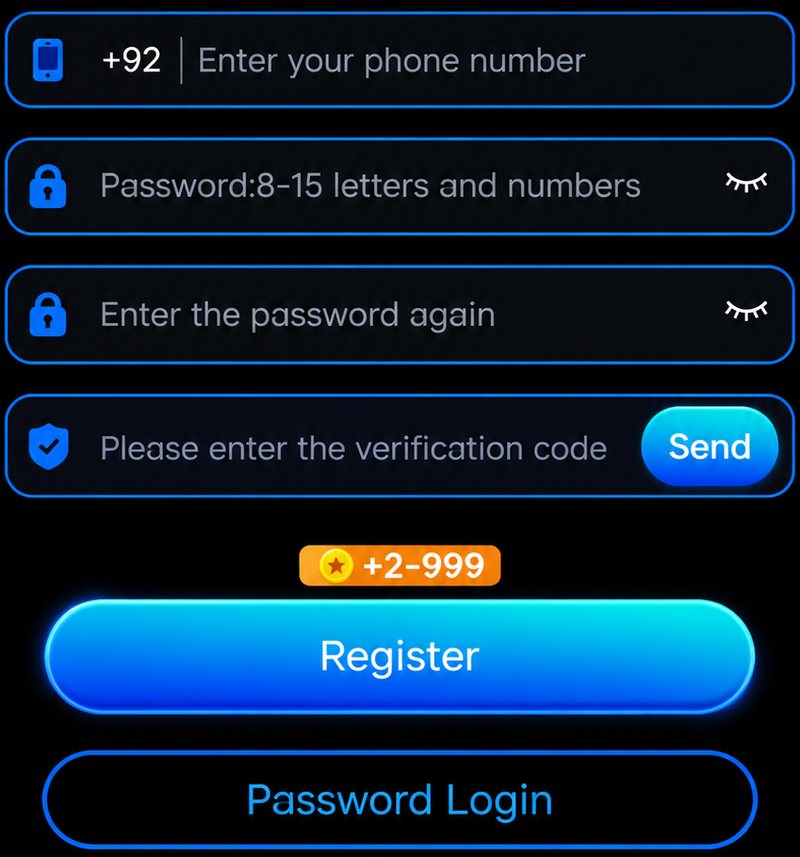
+92 | Enter your phone number - Country code field. For India use +91, for Pakistan +92, for other regions select your code. Use a number you can receive SMS/OTP on. One phone number = one POP717 account.
Password: 8-15 letters and numbers - Create a strong password, example Pop717@123 style (letters + numbers). Do not share password with anyone. Eye icon on right shows/hides password.
Enter the password again - Re-type the exact same password to confirm. If both passwords do not match, registration will fail.
Please enter the verification code [Send] - Tap Send, you will get a code on your phone. Enter that code here. Code expires in a few minutes, so enter quickly.
+2-999 orange tag - New users can get a random bonus between 2 and 999 on successful registration (as per campaign).
Register (blue button) - Tap to create account. Password Login (outline button) - If you already registered, tap this to go to login page.
Top right: Headphone icon = customer service, EN with flag = language selector (English).
What is #register-info?
On partner/SEO sites like khelv.lat, the link /#register-info means the page opens and automatically scrolls to the Register Info section - where register steps, screenshots and the Register button are shown. On pop717.lat, our clean URL is pop717.lat/register.php which is better for SEO indexing than a hash link, but we also keep an anchor below for compatibility.
Step-by-Step POP717 Registration
- Open register page - From pop717.lat tap Register Now or visit the official POP717 register link set in admin panel.
- Enter phone number - Correct country code + mobile number. Double-check digits.
- Set password - 8-15 letters and numbers, confirm password.
- Get verification code - Tap Send, wait for SMS, enter code. If code does not arrive in 60 seconds, tap Send again and check network / spam SMS.
- Tap Register - Account created. You will be logged in or redirected to login.
- Complete profile - Go to Me → bind UPI/Bank/USDT for withdraw, set withdraw password if asked, claim welcome bonus.
After Registration - What to Do Next?
1. Login
Use phone + password to login anytime. POP717 Login guide
2. Deposit
Deposit via UPI, bank or USDT in 1 minute and get 20% first deposit bonus. Deposit guide
3. Play Games
Open Popular games, slots, rummy, fishing. Games list
Common Register Problems & Solutions
| Problem | Solution |
|---|---|
| Verification code not received | Check phone number & country code, wait 60 sec, tap Send again, check SMS inbox, try another network. |
| Password format error | Use 8-15 characters with both letters and numbers, no spaces. |
| Phone already registered | Use Password Login, or use Forgot Password / Retrieve Login ID from Self Service Center. |
| Register button not working | Fill all fields, agree terms if shown, clear browser cache or use POP717 app. |
POP717 Register FAQ
Is POP717 registration free?
Yes, creating a POP717 account is free. You only deposit when you want to play real-money games.
Can I register with +91 India number?
Yes, POP717 login/register supports +91 for India (see login screenshot) and +92 and other codes depending on region.
What bonus do I get on register?
New users may get +2 to 999 random bonus and 20% first deposit bonus + welcome bonus up to ₹30 as per active campaign.